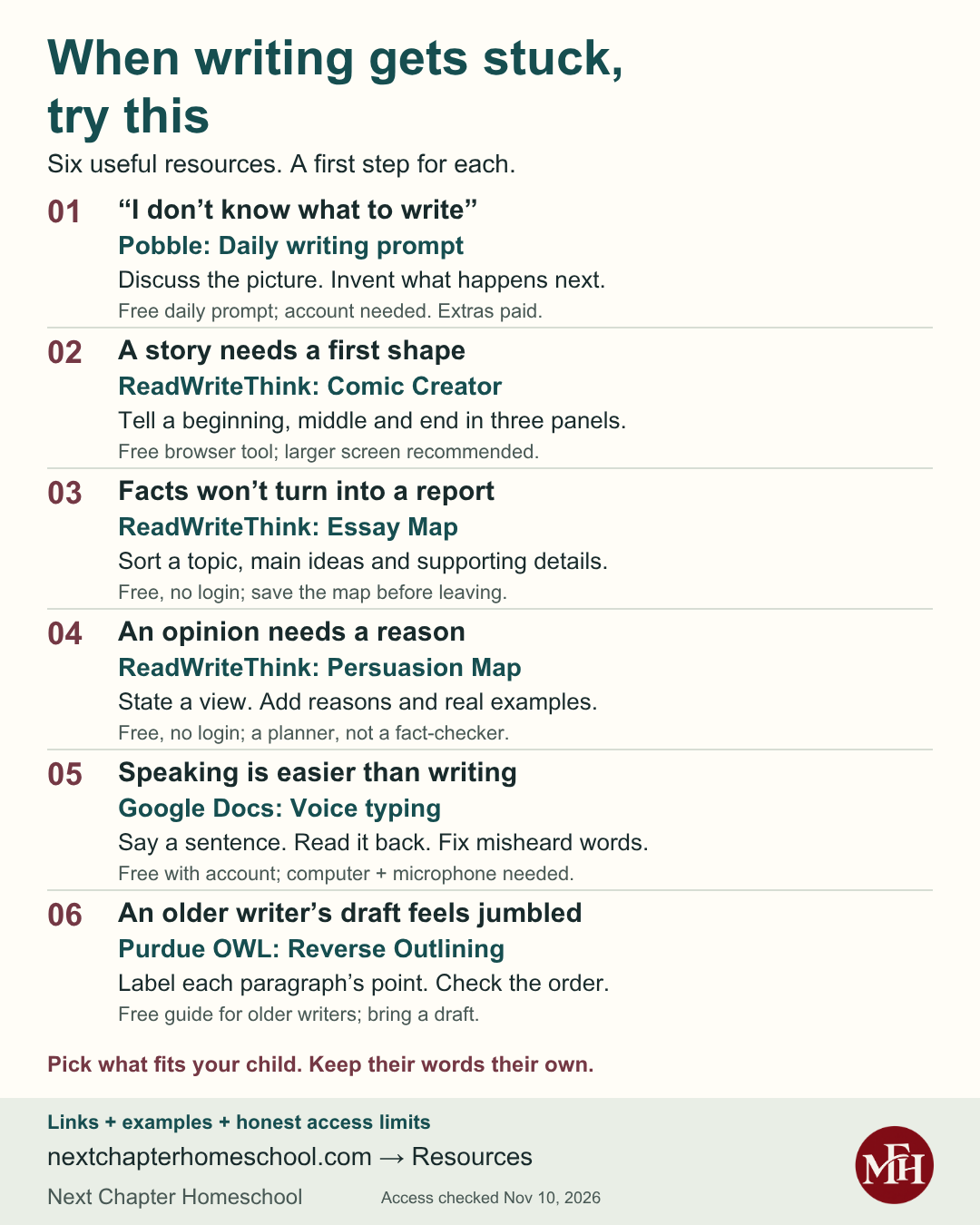
When writing gets stuck, try this
Six useful resources. A first step for each.
Your child might need an idea, a way to arrange facts, or help getting spoken words onto the page. Choose the resource that fits the actual snag. You do not need all six.
Start with what your child enjoys explaining, imagining or arguing about. A game, a recipe, an animal or an invention can give the writing a purpose. Keep the ideas and wording your child's.
1. “I don't know what to write”
Resource: Pobble's daily writing prompt
Try this: Look at today's picture together. Ask your child to point out one detail that interests them, then imagine what might happen next. They can tell you the idea before choosing a sentence to write. Use their response rather than supplying your own ending.
Access: One daily prompt is available with a free account, including an image, a story starter and questions. A parent can register; the signup instructions include parents. The full calendar and additional lesson features require a subscription. The separate Pobble Home product is a different offer; it is not what “free daily prompt” means here. No paid trial is needed to choose the free account.
Paper alternative: Let your child choose a familiar object, draw it somewhere unexpected and tell you what happened.
2. A story needs a first shape
Resource: ReadWriteThink Comic Creator
Try this: Choose three panels. In the first, introduce a character who wants something. In the second, show a problem. In the third, show what the character does. Your child can add a short caption or dialogue to each. These are suggested prompts, not required story rules.
Access: The browser editor opened without a login or charge in our desktop check. We entered a made-up title and reached the three-panel editor. The publisher provides a printable planning sheet and describes print output. A larger screen is a more comfortable starting point than a phone. Retain or print the work before leaving; do not assume cloud autosave.
Paper alternative: Draw three rectangles and let your child sketch, dictate or write the captions.
3. Facts won't turn into a report
Resource: ReadWriteThink Essay Map
Try this: Choose a subject your child knows or is researching, such as how to care for a pet. Jot the main points, then attach a useful detail to each. If the details come from research, keep the source beside the notes. The plan helps your child decide what to explain before drafting paragraphs.
Access: Free browser planner, with no login requested in our desktop check. A made-up topic opened the introduction and main-ideas fields. The publisher lists grades 3–12 and save/print options. Its preset structure is a support, not a rule that every report needs the same number of paragraphs. Save your map before leaving. Use a larger screen or paper if the layout is awkward on your device.
Paper alternative: Put the topic at the top of a page and leave space under each main point for notes and sources.
4. An opinion needs a reason
Resource: ReadWriteThink Persuasion Map
Try this: Invite a small, real proposal: “We should grow an herb garden,” for example. Ask your child for reasons and real examples or facts that support the view. Help them notice a claim that still needs checking. They choose the position; you help them examine its support.
Access: Free browser planner, with no login requested in our desktop check. We entered a made-up proposal and reached the reasons fields. The publisher lists grades 3–12 and save/print options. It organizes arguments; it does not verify evidence or write the essay. Save the work before leaving. The three ReadWriteThink entries here have different jobs: visual storytelling, explaining and persuading. Pick one suited to the piece.
Paper alternative: Write a view at the top, then connect reasons and evidence beneath it.
5. Speaking is easier than writing
Resource: Google Docs voice typing
Try this: In an existing parent-managed Google document on a computer, open Tools, then Voice typing. Let your child say one sentence. Read the text back together and correct words the microphone misheard. The child remains the author; dictation records their speech.
Access: Basic Docs is available with a Google account. Voice typing needs a working microphone and a current supported computer browser: Chrome, Edge or Safari. An organization's administrator can disable the feature. The browser controls speech processing, so do not treat it as guaranteed offline transcription. We checked the official instructions; we did not run a fresh signed-in microphone test. No AI composition or rewriting feature is needed.
Paper alternative: Write down your child's dictated words and read them back for their approval. Match the help to the lesson: composing and practicing handwriting are different goals.
6. An older writer's draft feels jumbled
Resource: Purdue OWL's reverse-outlining guide
Try this: With an existing draft, have your child jot each paragraph's main point beside it. Read those notes in order. Ask which ideas belong together and which part needs explaining. The writer chooses what to move or develop.
Access: A free, openly readable guidance page with no account needed. It is aimed at more developed academic writing and needs a draft to work on. It is not an automatic editor or a source of ideas for a completely blank page. Read the original online rather than copying its materials into a new handout.
Paper alternative: Write a brief description of each paragraph on a separate scrap, then try a different order.
Choose one useful next move
For a younger child, that might be three pictures and their own spoken captions. For an older child, it might be a map of reasons or a clearer order for a draft. Notice what the tool helps your child do, and keep teaching the skills they need.
You can try every paper alternative here without buying anything. The optional online resources have the account and access limits described above.
What does your child love talking about, and where does getting it onto the page become difficult?
Access checked November 10, 2026. Outside resources can change. These are selected supports, not a complete writing curriculum or promised results.